
If stickers are being applied unevenly, labels are shifting from their intended position or some bottles are missing labels, the machine may need adjustment. Correct calibration helps maintain consistent label placement, reduce wastage and keep production running smoothly.
At Jetson Machines, we recommend checking the bottle, label roll and sensor settings whenever you set up a new product or change label specifications. The exact procedure depends on the machine model, so always follow the manufacturer’s instructions for model-specific adjustments.
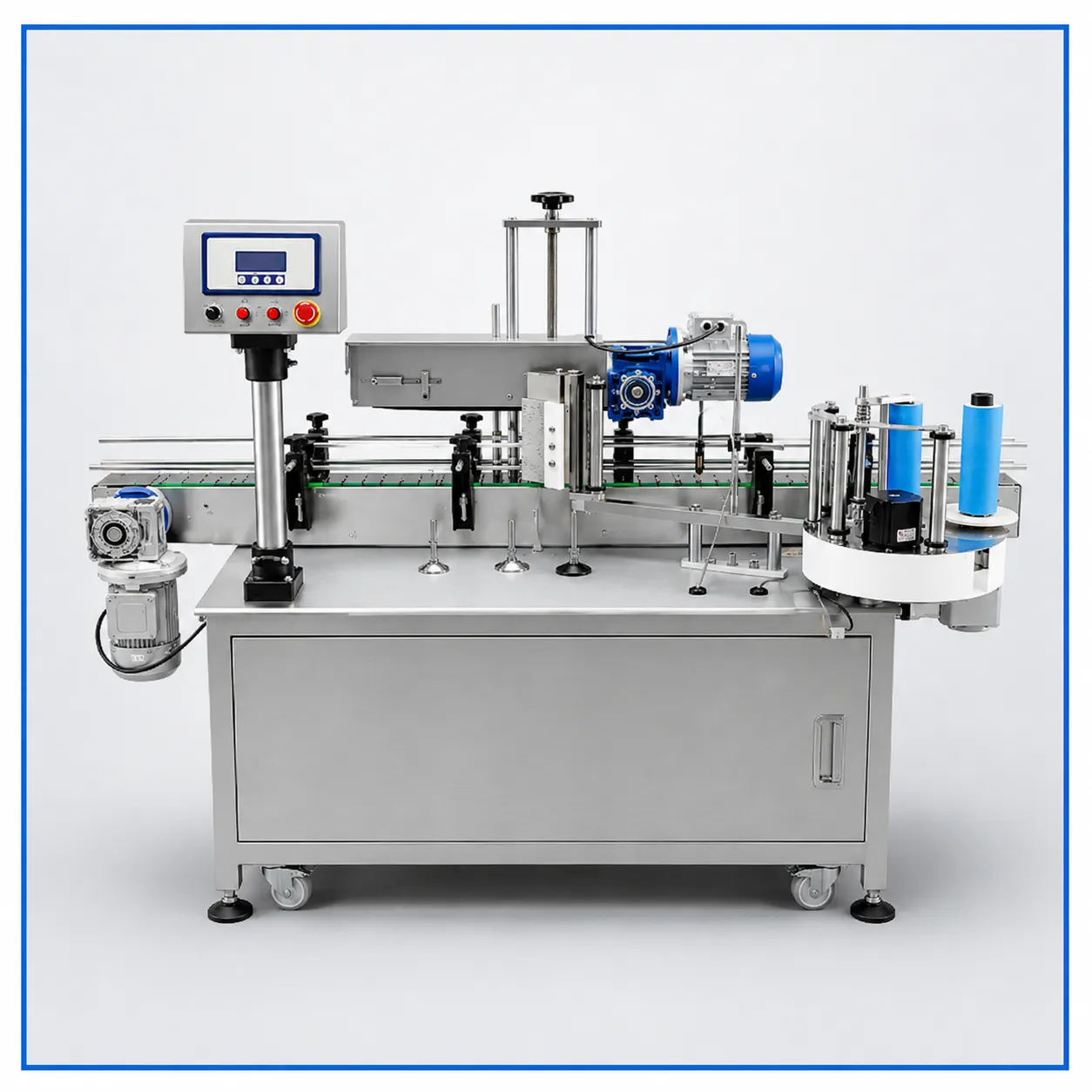
What Is Sticker Labelling Machine Calibration?
Calibration is the process of adjusting and checking a labelling machine so that it detects, dispenses and applies labels in the required position.
The main areas to check are the label sensor, dispensing position, bottle positioning, label-feed tension and application mechanism. Making small adjustments in a controlled sequence can help identify the source of a problem without changing several settings at once.
Step-by-Step Guide to Calibrating a Sticker Labelling Machine
Step 1: Check the Label Roll
Before adjusting machine settings, confirm that the label roll is mounted correctly and unwinds in the required direction.
Check that the core size and outer roll diameter are within the machine’s specifications. Make sure the labels are threaded through the guide rollers and dispensing edge according to the manufacturer’s instructions.
Incorrect threading or a poorly mounted roll can cause feeding problems that appear to be calibration issues.
Step 2: Align the Label Sensor
The sensor detects the position of labels on the backing liner and helps control when the next label is dispensed.
For labels with gaps, check that the sensor is positioned to detect the gap consistently. Transparent, reflective or unusually shaped labels may require a compatible sensor or a different detection setup.
If your machine has a sensitivity or teaching function, follow the instructions for that model. Do not assume every sensor uses the same calibration method.
Step 3: Adjust the Label Dispensing Position
Run a test cycle and observe where the label stops and how it separates from the backing liner.
If the label consistently starts too early or too late, use the machine’s designated label-position or feed-delay adjustment, if available. Make small changes and repeat the test.
Avoid adjusting several controls at once, as this makes it harder to identify which setting corrected the problem.
Step 4: Position the Bottle Correctly
Place the bottle in its normal operating position and check that it is stable during application.
For round bottles, confirm that the container rotates or moves as intended. For flat or square bottles, check the guides and bottle orientation so the label reaches the correct surface.
Bottle misalignment can cause labels to appear crooked even when the label sensor and dispensing settings are correct.
Step 5: Check Label Pressure and Application
Inspect the application roller, wiping mechanism or other applicator used by your machine. Make sure it is clean and positioned correctly according to the manufacturer’s instructions.
Insufficient or uneven contact can contribute to bubbles, wrinkles or lifted edges. However, these problems can also result from unsuitable adhesive, label material, contamination or the bottle surface.
Step 6: Run Multiple Test Bottles
After making adjustments, test several bottles at the normal operating speed, beginning with a safe test cycle.
Check that labels are consistently positioned, straight and firmly applied. If the machine works correctly at low speed but produces errors at higher speeds, review the feed settings, sensor response and bottle handling against the machine’s operating specifications.
Record the final settings for each bottle and label format where your machine allows it. This can make future product changeovers easier.
Common Sticker Labelling Problems and How to Check Them
| Problem | What to check first |
|---|---|
| Labels applied too high or too low | Bottle position and label-position settings |
| Labels applied crooked | Bottle guides, container orientation and application pressure |
| Two labels dispensed together | Sensor detection, label gap and feed settings |
| Labels missing from some bottles | Bottle detection, sensor operation and feed timing |
| Wrinkles or air bubbles | Application pressure, label material and container surface |
| Labels not separating properly | Threading, dispensing edge, liner and label construction |
These checks are starting points, not guaranteed fixes. If the issue continues, consult the machine manual or a qualified technician before changing internal settings.
How Often Should You Calibrate a Sticker Labelling Machine?
Calibration is not necessarily a daily task for every machine. Check the setup when installing a new label roll, changing bottle or label specifications, moving the machine or noticing inconsistent application.
Routine cleaning and inspection are also important. Dust, adhesive residue and worn components can affect label detection and application accuracy over time.
Always isolate power before cleaning or servicing areas that present a mechanical or electrical hazard, and follow the manufacturer’s safety procedures.
When Should You Contact Your Machine Supplier?
If sensor errors persist, labels continue feeding inconsistently or adjustments do not solve the problem, avoid repeatedly changing settings without identifying the cause.
The issue may involve sensor compatibility, worn components, incorrect label specifications or a machine-specific setting that requires technical assistance.
At Jetson Machines, we recommend sharing the machine model, label specifications, bottle type and a short video of the problem when requesting support. These details can help narrow down the likely cause.
Get Consistent Labelling with Jetson Machines
Correct calibration is only one part of achieving reliable labelling. The machine, label material, roll specifications and bottle design must all work together.
If you are selecting a new sticker labelling machine or experiencing recurring application problems, contact Jetson Machines to discuss your product requirements and labelling process. Our team can help you evaluate the appropriate machine configuration for your application.
Contact Jetson Machines to discuss your sticker labelling requirements and find a suitable solution for your production line.